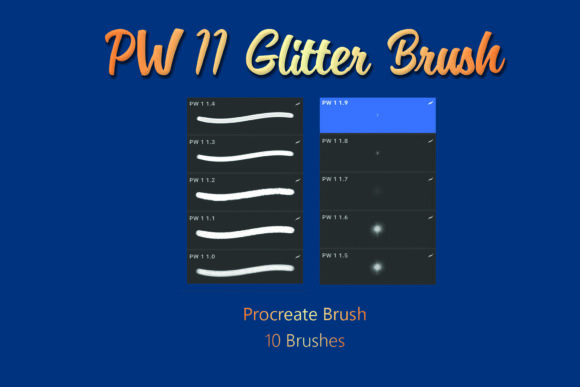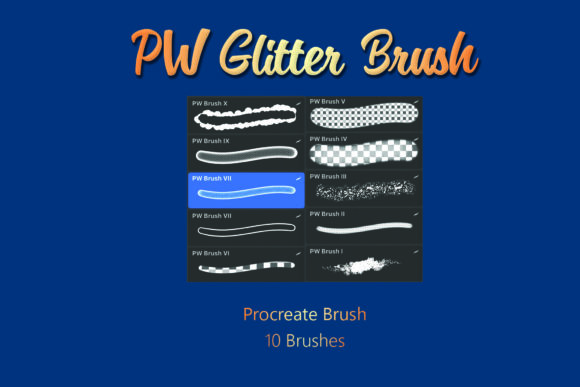
Unlocking Sparkle: A Practical Guide to the PW Procreate Brush - Glitter Brushes Set
Digital illustration offers limitless possibilities, but achieving a realistic texture like glitter often separates amateur sketches from professional-grade artwork. Many creators spend hours manually painting individual specks of light, only to find the result looks flat or repetitive. This is where the PW Procreate Brush - Glitter Brushes set becomes an invaluable asset. Designed specifically for the Procreate app on iOS, this collection streamlines the process of adding shimmer and depth to your designs. However, purchasing and utilizing digital assets requires a bit of know-how to ensure you get the most out of your investment. Understanding exactly what is included and how to integrate these tools into your workflow can save you time and prevent common frustrations.
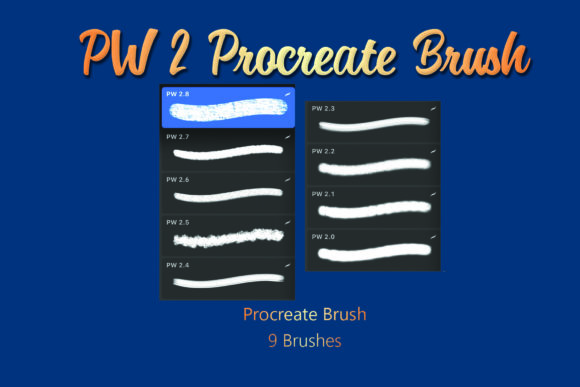
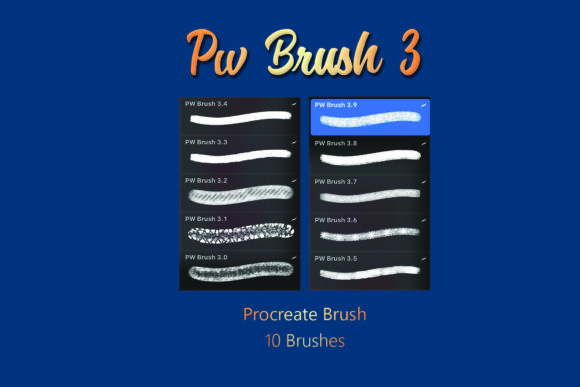
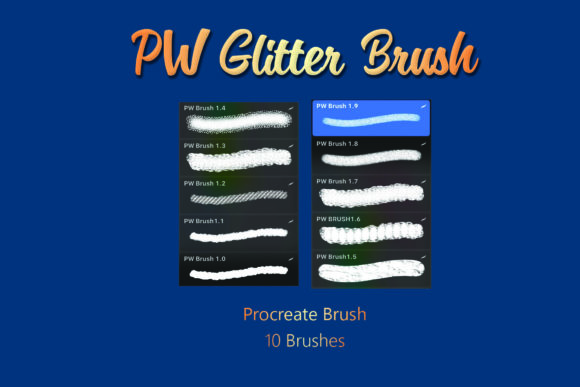
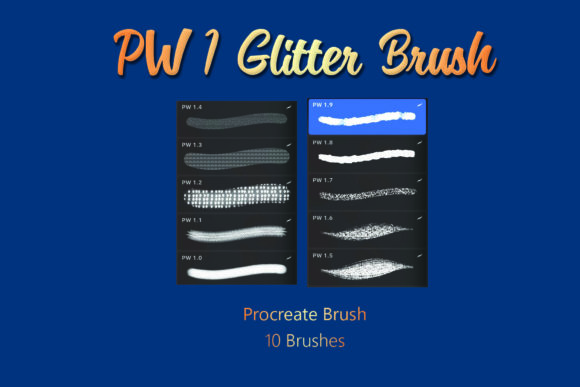
The core of this product is a single .brushset file containing ten distinct glitter brushes. While "ten" might sound like a modest number compared to massive mega-packs, quality often trumps quantity in digital art. These brushes are engineered to mimic the random scattering and light reflection of real glitter, offering varied particle sizes and opacities. Whether you are a freelancer creating logos, a blogger designing social media graphics, or a hobbyist illustrating greeting cards, having reliable texture brushes can significantly elevate the visual appeal of your work. The key is knowing that this is a digital product; there is no physical shipment. Once you complete your purchase, the value lies entirely in the file you download and how effectively you apply it within the Procreate ecosystem.
Avoiding the Installation Pitfall
One of the most frequent misunderstandings new users encounter involves the file format. When you download the PW Procreate Brush - Glitter Brushes, you will receive a .ZIP file. A common mistake is attempting to import this compressed folder directly into Procreate. The app cannot read .ZIP files as brush sets. If you try to tap the downloaded file while inside Procreate, nothing will happen, leading many to believe the product is defective or incompatible.
To avoid this hiccup, you must extract the contents of the .ZIP file before opening Procreate. On an iPad, this usually means tapping the downloaded file in the Files app to unzip it, revealing the actual .brushset file inside. Only then should you tap that specific file to trigger the automatic import into Procreate. This small technical step is crucial. Skipping it halts your creative momentum immediately. By taking a moment to properly manage your downloads, you ensure a seamless transition from purchase to creation.
Compatibility and Platform Limitations
It is vital to recognize that this tool is built exclusively for the Procreate app on iOS. A significant error some buyers make is assuming digital brushes are universal across all drawing software. These brushes utilize Procreate's specific rendering engine to achieve their grain and scatter effects. They will not function in Adobe Photoshop, Clip Studio Paint, or Android-based drawing apps. If you are working primarily on a Windows tablet or an Android device, this product will not serve your needs.
Before purchasing, verify your hardware and software environment. If you are an entrepreneur or marketer who outsources design work, ensure your freelancers are using iPads with Procreate installed. Trying to convert these brushes for other platforms often results in lost texture data and poor performance. Sticking to the intended ecosystem guarantees that the glitter behaves exactly as the creator intended, maintaining high-quality output without unnecessary troubleshooting.
Maximizing Artistic Potential
Even with the correct installation, artists sometimes fall into the trap of overusing texture brushes. When a tool looks impressive, the temptation is to apply it heavily across the entire canvas. With glitter brushes, this can quickly make a design look cluttered, noisy, or unprofessional. The sparkle should enhance the focal point, not distract from the main subject. For instance, if you are lettering a quote for Instagram, applying heavy glitter to every stroke might reduce readability.
A better approach is to use the PW Procreate Brush - Glitter Brushes strategically. Use them to add highlights to specific curves of a letter, to create a magical atmosphere in a background corner, or to accentuate jewelry in a character portrait. Varying the opacity and size of the brush strokes allows for a more nuanced effect. Think of glitter as a seasoning; a little goes a long way. By exercising restraint, you maintain a balanced composition that feels sophisticated rather than chaotic.
Another overlooked detail is the interaction between brush layers and blending modes. Many beginners paint glitter directly onto their base color layer. While this works, it limits your ability to edit later. If you decide the glitter is too bright or the color is wrong, you might have to erase large sections manually. Instead, create a new layer above your artwork specifically for the glitter effects. This non-destructive workflow allows you to lower the layer opacity, change the blending mode to "Screen" or "Overlay" for different lighting effects, or mask out areas where the sparkle shouldn't appear. This level of control is essential for professional deliverables where client revisions are common.
Evaluating Value and Expectations
When evaluating digital products, it is easy to focus solely on the price tag without considering the time saved. Some users hesitate to buy a set of ten brushes, wondering if they could just make their own. While creating custom brushes is a valuable skill, it requires a deep understanding of grain sources, shape dynamics, and stabilization settings. For most creators, the time spent engineering a perfect glitter brush from scratch outweighs the cost of a pre-made, tested set like PW Procreate Brush - Glitter Brushes.
Furthermore, consistency is key in branding. If you are a small business owner creating a series of promotional images, using a standardized set of glitter brushes ensures a cohesive look across all your materials. Randomly downloading free brushes from various sources often leads to inconsistent textures that clash with one another. Investing in a dedicated set provides a reliable toolkit that you can master over time, leading to faster production speeds and a more polished final portfolio.
Ultimately, the goal of acquiring these tools is to enhance your creative efficiency and output quality. By understanding the technical requirements—such as unzipping files and checking iOS compatibility—and adopting best practices like layer management and strategic application, you can avoid common pitfalls. The PW Procreate Brush - Glitter Brushes set is more than just a collection of stamps; it is a specialized instrument for adding life and dimension to your digital art. Approach it with a clear plan, respect the technical constraints, and you will find that adding a touch of sparkle becomes an effortless part of your creative routine.