PW 11 Procreate Glitter Brushes: Add Sparkle to Your Art
Digital art has evolved from a niche hobby into a robust industry where visual impact often dictates success. Whether you are designing a logo for a new startup, creating social media graphics for a marketing campaign, or illustrating a children's book, texture plays a pivotal role in how your audience perceives your work. Flat colors and standard gradients have their place, but they often lack the tactile depth that makes an image feel alive. This is where the PW 11 Procreate Brush - Glitter Brushes collection steps in, offering a specialized solution for artists who need to inject luminosity and dimension into their iPad creations without compromising workflow efficiency.
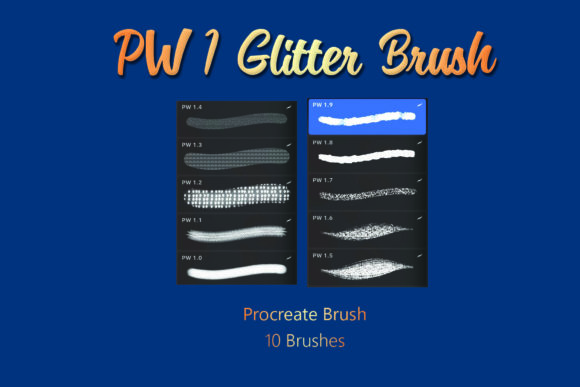
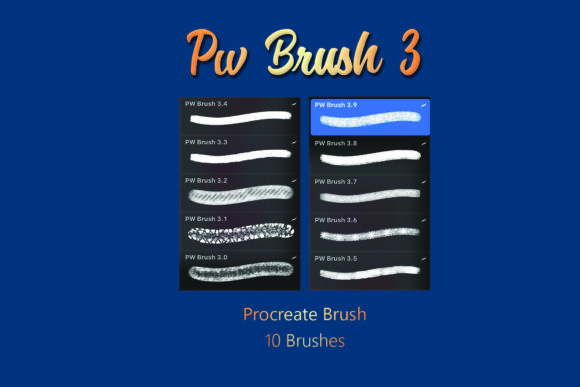
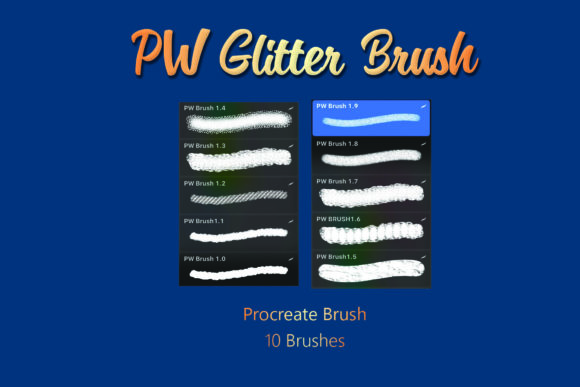
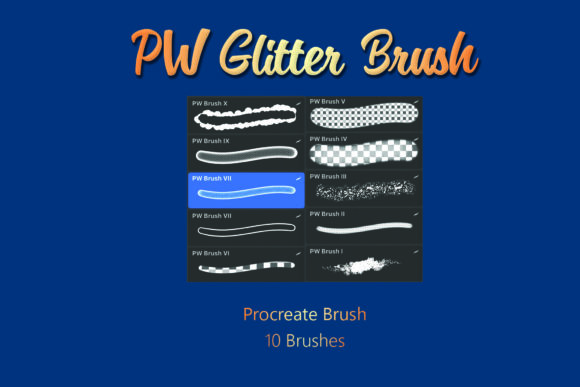
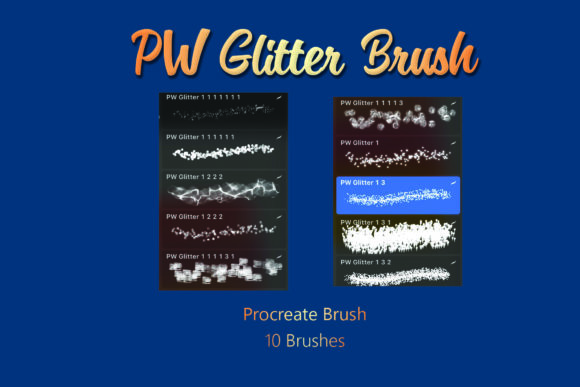
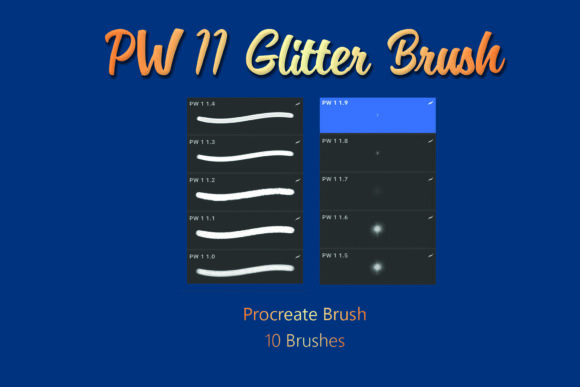
This specific brush set is not just a random assortment of sparkles; it is a curated toolkit designed to mimic the behavior of real-world glitter while leveraging the unique capabilities of the Procreate app on iOS. When you purchase this digital product, you receive a single .brushset file contained within a .ZIP archive. Once extracted and imported, you gain immediate access to ten distinct glitter brushes. Each brush has been engineered to react differently to pressure and tilt, providing a range of effects from fine, dust-like shimmer to bold, chunky confetti styles. For professionals working under tight deadlines, having these textures ready to go eliminates the need to create complex layer styles or search for external overlay images, streamlining the entire creative process.
Why Texture Matters in Digital Design
In a saturated digital landscape, standing out requires more than just good composition; it demands sensory engagement. Viewers subconsciously respond to textures that suggest physical materials. When you use the PW 11 Procreate Brush - Glitter Brushes, you are tapping into this psychological response. The illusion of light reflecting off particles adds a layer of sophistication to lettering, making hand-drawn quotes for Instagram posts feel more premium. For educators creating engaging lesson materials, adding subtle sparkle to key diagrams can help direct student attention and make learning resources feel less sterile.
The strength of this particular set lies in its versatility. Unlike some glitter brushes that look artificial or overly repetitive, these ten brushes offer varied particle distributions. Some are designed for broad coverage, perfect for filling large background areas with a magical atmosphere, while others are finer, ideal for adding delicate highlights to jewelry illustrations or cosmetic packaging mockups. This variety ensures that whether you are a freelancer pitching a brand identity or a hobbyist journaling on your iPad, you have the right tool for the specific mood you wish to convey.
Practical Applications Across Industries
The utility of high-quality glitter brushes extends far beyond simple decoration. Consider the following real-world scenarios where this toolset adds tangible value:
- Marketing and Social Media: Brands constantly vie for attention in feeds. Using these brushes to create limited-time offer graphics or celebratory posts (like anniversaries or holidays) can significantly increase engagement rates. The movement and shine implied by the brush strokes stop the scroll.
- Product Packaging Design: Before sending a design to print, designers can use these brushes to simulate foil stamping or glitter accents on digital mockups. This helps clients visualize the final premium feel of the product without needing a physical prototype.
- Children's Book Illustration: Magic spells, fairy wings, and starry nights are staples in children's literature. These brushes allow illustrators to paint these elements directly into the scene with natural variation, avoiding the "copy-paste" look of static stickers.
- Wedding and Event Stationery: Freelance calligraphers and invitation designers can use the set to add elegant shimmer to digital invites, enhancing the perceived value of the event before a single card is printed.
Technical Efficiency and Usability
One of the most significant benefits of the PW 11 Procreate Brush - Glitter Brushes is its seamless integration into the Procreate ecosystem. Because the file format is native (.brushset), installation is instantaneous. There is no need to manage multiple individual files; the entire library imports in one tap. This efficiency is crucial for professionals who switch between projects frequently. Furthermore, because these are dynamic brushes rather than static stamps, they respond to your Apple Pencil's pressure sensitivity. Press harder for denser glitter accumulation, or lighten your touch for a sparse, ethereal dusting. This level of control mimics traditional media, allowing for a more organic and expressive workflow.
It is important to note that this is a digital product exclusively supporting the Procreate app on iOS devices. It will not function on Android tablets, desktop software like Photoshop, or web-based design tools. This specificity ensures that the brushes are optimized for the iPad's processing power and the Apple Pencil's input data, resulting in smooth performance even on complex canvases with multiple layers. However, users must ensure they have the Procreate app installed before purchasing to avoid compatibility issues.
Maximizing Your Creative Output
To get the most out of these ten brushes, consider experimenting with blend modes. While the brushes look stunning on their own, overlaying them on different background colors or setting the layer to "Add" or "Screen" can intensify the glow effect. For commercial projects, always test your designs on various screen sizes. What looks like a subtle glimmer on an iPad Pro might appear as a bold statement on a smartphone screen. Adjusting the opacity of the brush stroke or the layer itself allows you to dial in the exact intensity required for your specific medium.
Additionally, these brushes are excellent for creating custom assets. You can paint a sheet of various glitter textures, export it as a PNG, and use it as a reusable element in other software if your workflow requires cross-platform collaboration. This flexibility turns a simple brush set into a broader resource library, extending its value beyond the initial illustration phase.
Making the Right Choice for Your Workflow
When evaluating digital tools, the question is always whether the investment saves time or enhances quality enough to justify the cost. The PW 11 Procreate Brush - Glitter Brushes excels in both categories. Creating realistic glitter effects from scratch using standard round brushes and noise filters is time-consuming and often yields inconsistent results. By utilizing a dedicated set, you reclaim hours of production time, allowing you to focus on composition, color theory, and client communication.
For entrepreneurs and business owners managing their own branding, these brushes offer a cost-effective way to elevate visual content without hiring a specialized texturing artist. The learning curve is minimal; if you can hold a pencil, you can use these brushes effectively. The included documentation within the ZIP file typically guides you through the extraction and import process, ensuring that even those less tech-savvy can get started immediately.
In conclusion, adding texture is one of the fastest ways to mature your digital art style. The PW 11 Procreate Brush - Glitter Brushes provides a reliable, high-quality means to achieve this. Whether you are crafting a whimsical illustration, designing a high-end product label, or simply adding flair to your digital planner, this collection offers the precision and variety needed to make your work shine. Remember to extract the .ZIP file promptly after downloading and import the .brushset directly into Procreate to unlock these creative possibilities instantly.