Sparkle in Procreate: PW Glitter Brushes Review
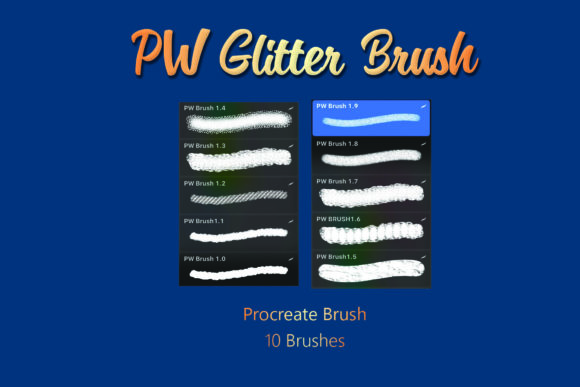
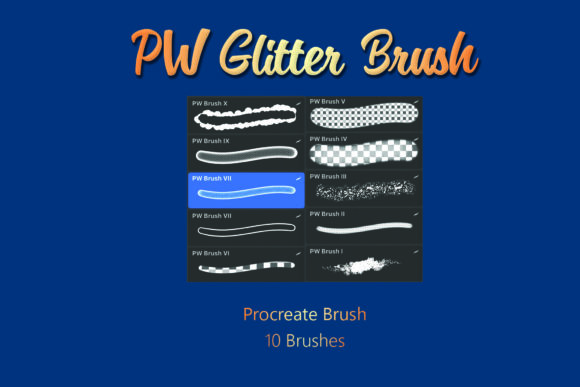
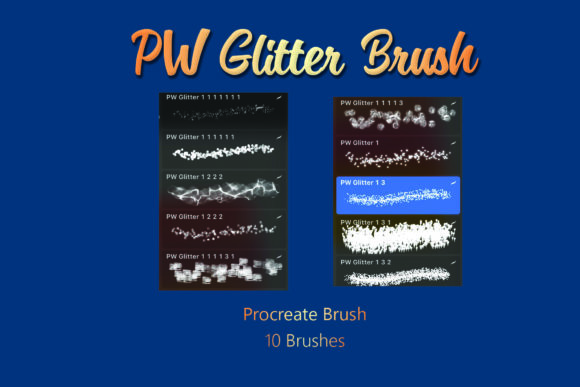
If you have ever tried to simulate the look of real glitter on a digital canvas, you know the struggle. Standard brushes often leave behind flat, repetitive patterns that scream "digital effect" rather than authentic shimmer. That is where the PW Glitter Brushes Procreate Brush set changes the workflow for iPad artists and designers. This isn't just a collection of sparkles; it is a toolkit designed to bring texture, depth, and a tangible sense of luxury to your digital illustrations. When you download this package, you are getting a single .brushset file containing 10 distinct brushes, all optimized specifically for the Procreate app on iOS. Once you extract the .ZIP file and import them, these tools become an extension of your Apple Pencil, reacting to pressure and tilt just like physical media would.
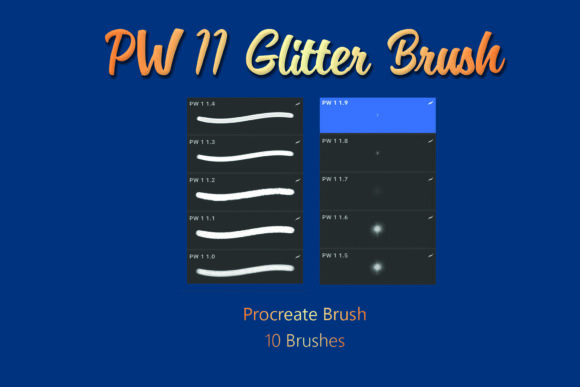
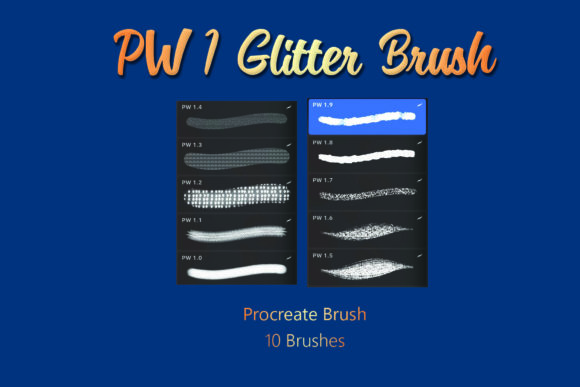
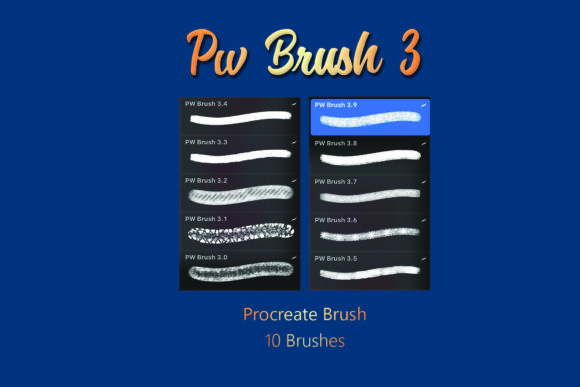
The visual personality of these brushes leans heavily into high-end editorial and lifestyle aesthetics. Unlike generic noise filters, each brush in the PW Glitter Brushes Procreate Brush collection offers a unique grain structure. Some mimic fine gold dust suitable for subtle highlights on skin or product photography retouching, while others provide chunkier, confetti-like textures perfect for party invitations or bold typography overlays. The appeal lies in their versatility. Whether you are a brand strategist looking to elevate a social media graphic or a hobbyist creating custom wedding stationery, these brushes add a layer of sophistication that flat colors simply cannot achieve. They bridge the gap between vector precision and organic messiness, giving your work a human touch that resonates with audiences tired of overly polished, sterile designs.
Elevating Brand Identity and Marketing Materials
In the world of marketing and branding, perception is everything. A well-placed sparkle can shift a design from "standard" to "premium" instantly. Think about the packaging design for high-end cosmetics or the limited-edition labels on craft beverages. These industries rely on tactile sensations to justify price points, and digital representations need to mimic that feel. Using the PW Glitter Brushes Procreate Brush set allows designers to create mockups that feel expensive before a single physical prototype is printed. For entrepreneurs and small business owners managing their own social media graphics, adding these textures to product shots or promotional banners can significantly increase engagement. It draws the eye and suggests quality.
Consider the application in logo design or brand identity systems. While a logo itself usually needs to remain clean and scalable, the surrounding brand assets—such as Instagram stories, email headers, or event posters—benefit immensely from textured elements. These 10 brushes allow for the creation of custom background patterns or accent marks that reinforce a brand's luxurious or festive positioning without overwhelming the core message. For publishers working on cover art for romance novels, self-help guides, or lifestyle magazines, integrating these glitter effects can make a thumbnail pop in a crowded online marketplace. The key is restraint; using these brushes as a highlight rather than a base ensures the design remains professional while still capturing attention.
Practical Workflow and Technical Integration
Getting started with this digital product is straightforward, but understanding the technical nuances ensures you get the best results. Since this is a digital download exclusively for Procreate on iOS, compatibility is guaranteed, but the setup requires a specific process. After purchasing, you will receive a .ZIP file. It is crucial to extract this file on your iPad or computer before attempting to import. Tapping directly on the zipped folder within the Files app won't work; you must unzip it first to access the .brushset file. Once extracted, tapping the file will automatically open Procreate and install all 10 brushes into your library. This seamless integration means you spend less time troubleshooting file formats and more time creating.
Once installed, the real work begins with experimentation. Each of the 10 brushes behaves differently. Some are designed for broad strokes, ideal for filling large areas with a shimmering gradient, while others are fine-tipped for detailed line work or lettering. A practical recommendation for new users is to create a test canvas and swatch every brush at varying opacity levels and flow settings. Notice how the glitter particles distribute; some may cluster at the start of a stroke, while others scatter evenly. Understanding these behaviors helps you choose the right tool for the job. For instance, if you are doing editorial design and need a subtle texture behind a headline, a low-opacity, fine-grain brush works best. Conversely, for a flyer promoting a New Year's Eve event, a high-density, chunky brush creates the necessary energy.
Maximizing Readability and Visual Hierarchy
One common concern when introducing texture into design is readability. Does the glitter distract from the message? When used correctly, the PW Glitter Brushes Procreate Brush set actually enhances visual hierarchy. By applying these textures selectively, you guide the viewer's eye to the most important elements of your composition. Imagine a layout where the main headline is solid white, but a secondary accent word or a decorative underline features the glitter effect. This contrast creates a focal point without needing to increase font size drastically. It adds a layer of interest that encourages the audience to linger on the design longer.
However, context matters. In web design or UI contexts, heavy texture can sometimes reduce legibility on smaller screens. These brushes are best utilized in static imagery intended for print, high-resolution social posts, or digital presentations where control over the viewing environment is higher. When pairing these effects with typography, consider the font style. A clean sans serif font often pairs beautifully with chaotic glitter textures, creating a balanced tension between order and fun. Alternatively, a flowing script font combined with fine gold dust can evoke elegance and warmth. Always test your combinations by stepping back from the screen or printing a draft. If the text becomes hard to read, reduce the brush opacity or move the texture to the background layer.
Making the Right Choice for Your Project
Before committing to a specific style within the set, evaluate the emotional tone of your project. Are you aiming for playful and energetic, or sophisticated and muted? The PW Glitter Brushes Procreate Brush collection offers enough variety to cover both ends of the spectrum. For commercial projects, ensure you review the licensing terms included with your download. Most creative assets like this allow for use in client work, but it is always wise to double-check restrictions regarding resale or redistribution of the brushes themselves. You are purchasing the right to use the marks they create, not to resell the tool.
Ultimately, the value of this toolset lies in its ability to save time while elevating output. Instead of hunting for stock photos of glitter or spending hours creating custom particle effects in complex software, you have instant access to high-quality textures right at your fingertips. For content creators and marketers, this efficiency translates to faster turnaround times and more consistent branding. Whether you are designing a holiday card for family, a pitch deck for investors, or a new product label, these brushes provide that final polish that distinguishes amateur work from professional design. Embrace the texture, experiment with the layers, and let the sparkle do the heavy lifting in your next creative endeavor.