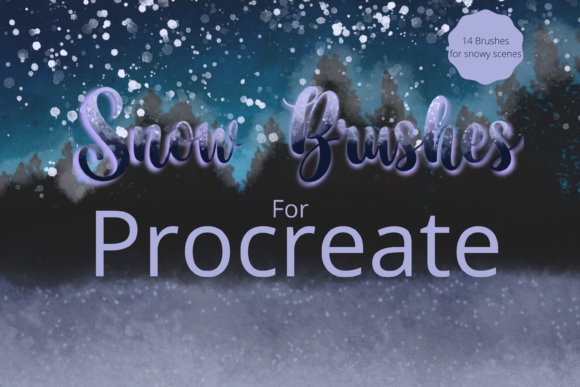
Master Winter Art with Snow Brushes for Procreate X 14
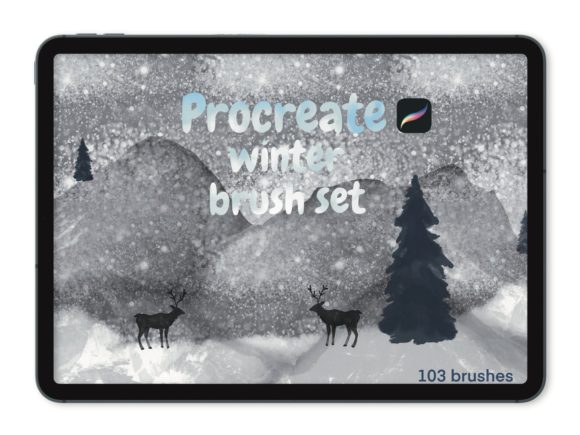
There is a specific kind of magic in capturing the quiet stillness of a winter landscape or the chaotic joy of a holiday celebration within a digital canvas. For artists working on the iPad, achieving that authentic, textured look of real snow can often feel like chasing a ghost. Standard digital tools frequently produce flat, repetitive patterns that lack the organic randomness of nature. This is where Snow Brushes for Procreate X 14 changes the workflow entirely. This isn't just a collection of stamps; it is a comprehensive toolkit designed to bring depth, atmosphere, and genuine festive spirit to your digital illustrations.
Whether you are a professional illustrator rushing to meet a holiday deadline, a social media manager creating seasonal content for a brand, or a hobbyist looking to elevate your personal projects, understanding the nuance of these tools is key. The pack consists of 14 hand-drawn created brushes, each engineered to solve a specific problem in winter-themed artwork. From the subtle accumulation of frost on a windowpane to the heavy, wet slush of a city street after a storm, this kit covers the entire spectrum of winter weather.
Breaking Down the Toolkit: Texture and Atmosphere
The strength of this brush set lies in its variety. Instead of relying on a single "snow" brush that you try to force into every situation, you get specialized tools for distinct effects. The Snow dust and Powdery snow brushes are perfect for those background layers where you need a sense of cold air without distracting from the main subject. They provide a soft, diffuse texture that mimics light falling through fog.
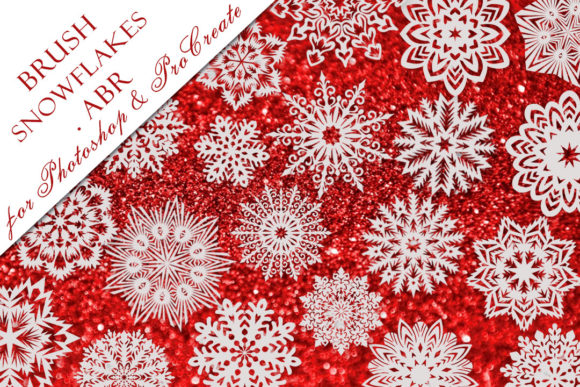
For moments that require drama, the Shimmering snow fall and Frosty sparkle brushes add a layer of enchantment. These are particularly useful when illustrating night scenes or magical realism pieces where light plays a crucial role. On the structural side, the Snowy edger, Snow cover, Light snow cover, and Jagged snow cover allow you to build up accumulation on roofs, branches, and foreground elements with realistic irregularity. The inclusion of a Fluffy snow brush ensures that your piles look soft and inviting rather than like solid white blocks.
Perhaps the most critical feature for serious artists is the Pressure sensitive snowfall. This allows your Apple Pencil pressure to dictate the density and size of the flakes, giving you total control over the intensity of the storm. You can start with a gentle drizzle and press harder to create a blizzard, all within a single stroke. This level of control mimics traditional media, bridging the gap between digital convenience and analog feel.
Beyond Snow: Stamps and Metallic Finishes
While the snow textures are the headline act, the supplementary tools in this kit significantly expand its utility for commercial and decorative work. The inclusion of botanical stamps, deer stamps, doodle stamps, and tag label stamps makes this an all-in-one solution for holiday card design, packaging mockups, and greeting assets. Instead of hunting for separate PNG files or drawing complex icons from scratch, you can stamp high-quality, cohesive elements directly onto your canvas.
The unique metallic brushes are a standout feature for entrepreneurs and marketers looking to create premium-looking visuals. The gold leaf and foil brushes add a tactile richness that flat colors simply cannot achieve. When used correctly, as shown in the listing pictures, these brushes simulate the reflection and texture of real metal. This is invaluable for creating luxury branding materials, limited edition product labels, or eye-catching social media graphics that need to stop the scroll. The ability to resize these using the brush resize tool or the move and resize tool means you can adapt a small foil accent into a large background texture instantly.
Practical Applications Across Industries
The versatility of Snow Brushes for Procreate X 14 extends far beyond personal art projects. In the realm of digital marketing, brands constantly need fresh, seasonal content. A marketer can use the tag label stamps and snow overlays to quickly produce a series of Instagram stories or Pinterest pins that feel cohesive and professionally designed. The efficiency gained here is substantial; what might take hours to illustrate manually can be achieved in minutes, allowing more time for strategy and copywriting.
For educators and content creators, these brushes offer a way to make learning materials engaging during the winter months. Imagine creating worksheets, presentation slides, or interactive stories for children that feature beautiful, non-distracting winter themes. The doodle stamps and deer icons can serve as visual cues or rewards in educational apps and PDFs.
Freelance designers will find the blend ink charge capabilities particularly useful. By altering the opacity slider and experimenting with blend modes, you can integrate the snow and metallic textures seamlessly into existing photographs or complex illustrations. This flexibility ensures that the brushes don't look like an afterthought but rather an integral part of the composition. Whether you are designing a book cover for a winter mystery novel or a website banner for a ski resort, these tools provide the necessary aesthetic polish.
Technical Considerations and Workflow Tips
To get the most out of this kit, it is essential to understand the technical requirements. These files are digital brushes that will only work within the Procreate App. Consequently, you will need an Apple Pencil and the Procreate App installed on an iPad Pro or compatible iPad model. This will not work without this specific hardware and software ecosystem. If you are currently working on a desktop or Android tablet, you will need to transition to the iPad environment to utilize these assets.
The installation process is straightforward but requires a few steps. To download and install the files, you will need a platform to download the files to, such as iCloud, and a program capable of unzipping the archive. Once imported, take time to explore the settings. As noted in the listing pictures, the metallic texture brushes have specific behaviors that yield the best results when understood early. Don't be afraid to dive into the brush studio to tweak the grain or streamline settings if you want to customize the feel further, though the defaults are optimized for immediate use.
When evaluating how to implement these in your workflow, consider the layering order. Start with your base illustration, add your snow cover and edger brushes on separate layers to maintain editability, and finish with the shimmering fallout and metallic accents on top. Using different blend modes for the snow layers can also create depth; for instance, setting a snow layer to "Overlay" or "Soft Light" can make the flakes feel like they are interacting with the light sources in your scene rather than just sitting on top of it.
Elevating Your Digital Presence
In a crowded digital marketplace, the quality of your visuals directly impacts engagement and brand perception. Tools like Snow Brushes for Procreate X 14 offer a shortcut to high-fidelity aesthetics without sacrificing creativity. They allow you to focus on storytelling and composition while the brushes handle the intricate texturing of the environment. Whether you are crafting a heartfelt holiday message for clients or building a portfolio of seasonal work, mastering these 14 hand-drawn brushes can significantly enhance the emotional resonance of your art.
Ultimately, the value of this kit is in its ability to save time while increasing visual impact. It removes the friction of creating complex textures from scratch, letting you channel your energy into the creative decisions that truly matter. By leveraging the pressure sensitivity, the diverse stamp library, and the luxurious metallic finishes, you can produce work that feels warm, inviting, and undeniably professional, even in the coldest of settings.