Master Winter Art with 103 Procreate Brushes
The transition into the colder months often brings a shift in creative energy. For digital artists, designers, and content creators, this season offers a unique palette of textures, lighting conditions, and thematic elements that can elevate standard projects into something memorable. The Procreate Winter Brush Set 103 Brushes from the Hello This collection is designed specifically to capture this atmospheric change, providing a comprehensive toolkit for anyone looking to infuse their work with the crisp, quiet beauty of winter.
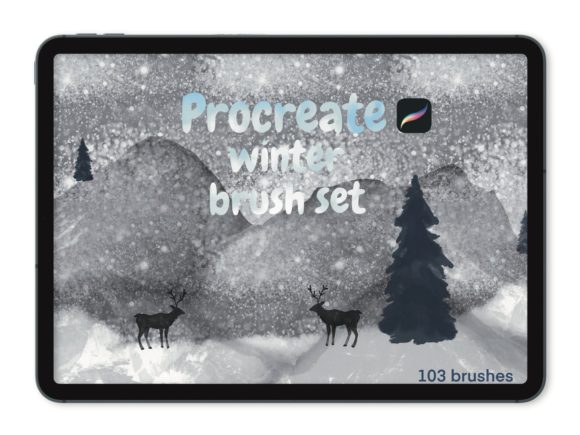
This collection is more than just a set of snowflake stamps; it is a curated library of 103 distinct tools engineered to handle everything from subtle background textures to bold, icy lettering. Whether you are a freelance illustrator working on holiday cards, a social media manager creating seasonal campaign assets, or a hobbyist documenting your winter journal, having the right digital instruments makes the difference between a generic image and a compelling visual story.
Expanding Your Digital Toolkit
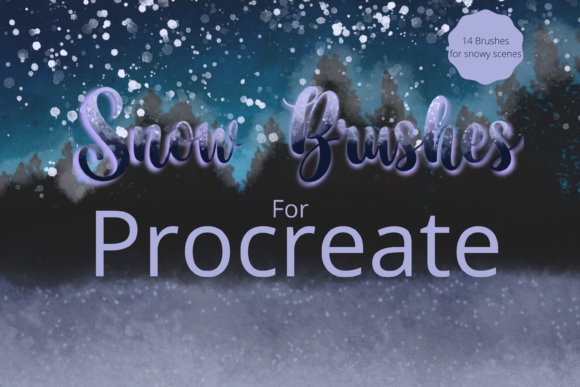
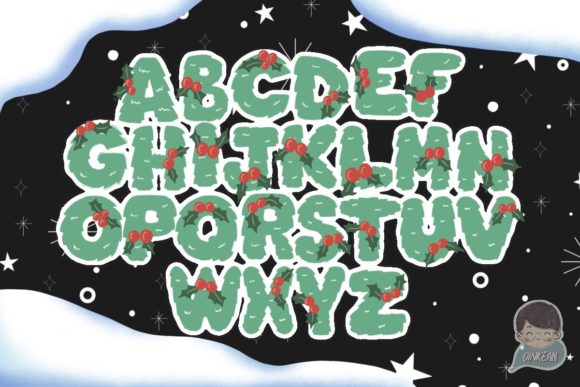
What makes this specific bundle interesting is its versatility across different artistic disciplines. The set includes specialized brushes for snow backgrounds, allowing you to create depth and atmosphere without manually painting thousands of individual flakes. There are dedicated tools for ice lettering, which mimic the refraction and clarity of frozen water, perfect for headlines in marketing materials or titles in digital publications.
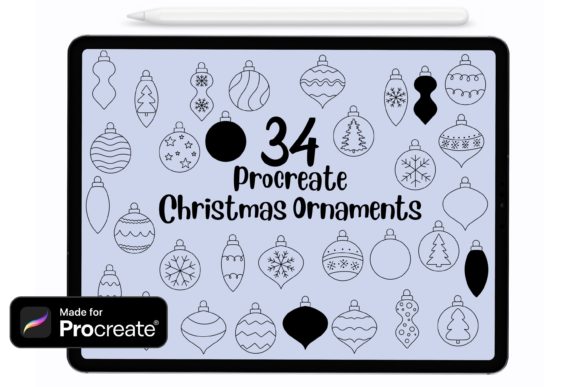
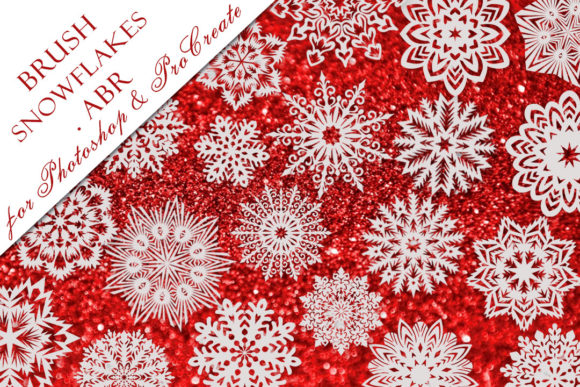
Beyond the environmental elements, the collection dives into whimsical and thematic territory with brush stamps featuring unicorns, frozen motifs, Christmas trees, and deer. These are not merely clip-art replacements; when used with pressure sensitivity on an Apple Pencil, they offer variation in opacity and size, enabling you to integrate them seamlessly into hand-drawn compositions. This level of integration ensures that your final artwork maintains a cohesive, organic feel rather than looking like a collage of disconnected images.
For educators and publishers, these brushes offer a practical way to illustrate seasonal stories or educational materials about weather and nature. The ability to quickly generate high-quality snow textures or festive icons saves hours of production time, allowing you to focus on the narrative or the layout of your project.
Creative Applications for Professionals and Hobbyists
The utility of the Procreate Winter Brush Set 103 Brushes extends far beyond traditional illustration. Consider how different professionals can adapt these tools for their specific goals:
- Marketers and Small Business Owners: Use the snow background brushes to create textured overlays for Instagram stories or Facebook ads promoting winter sales. The ice lettering brushes can add a premium, frosty finish to logo variations for seasonal pop-up shops.
- Bloggers and Content Creators: Enhance header images for blog posts about cozy recipes, travel guides to ski resorts, or year-end reflections. The deer and Christmas tree stamps serve as excellent decorative elements for dividing sections within an article or designing custom Pinterest pins.
- Freelance Designers: Incorporate the unicorn and frozen elements into branding packages for clients in the beauty or fantasy gaming sectors who are launching winter-themed products. The variety in the 103-brush set ensures you can create a unique style guide that stands out from competitors using standard stock assets.
- Educators: Create engaging visual aids for classrooms. Use the snowflakes to teach symmetry or the animal stamps to illustrate winter habitats in biology lessons. The interactive nature of Procreate allows these visuals to be animated simply for digital presentations.
Achieving Consistency and Originality
One of the challenges in digital art is maintaining a consistent style while using pre-made assets. To keep your results clear and original, it is essential to treat these brushes as starting points rather than final solutions. When using the snowflakes or Christmas tree stamps, vary the pressure and rotation. Do not simply stamp them in a uniform grid; scatter them naturally, allowing some to fade into the background and others to stand out in the foreground.
Layering is another critical technique. Start with a base layer using the snow background brushes to establish the mood. Then, build up your composition using the ice lettering for focal points. Finally, add the thematic stamps like deer or unicorns as narrative anchors. By adjusting the blend modes in Procreate—such as using "Overlay" for snow or "Multiply" for shadows—you can ensure that every element feels integrated into the same lighting environment.
For those aiming for a professional portfolio, consistency in color grading is key. Even with a robust set of 103 brushes, the overall tone of the piece should align with your brand or the specific message you are conveying. Use the brushes to enhance your existing color palette rather than letting the bright whites of the snow overwhelm the composition.
Getting Started with Your New Assets
Integrating these tools into your workflow is straightforward, ensuring you can start creating almost immediately after acquisition. The process is designed to be user-friendly for both iPad veterans and those new to digital art.
- Purchase and Confirmation: After completing your purchase payment confirmation, you will receive an email containing the secure download link. Check your spam folder if it does not appear in your inbox within a few minutes.
- Download the Files: Click the link to download the brush set file to your iPad. It is often helpful to save this to your "Files" app under a dedicated "Procreate Resources" folder for easy access later.
- Import to Procreate: Open the Procreate app. Tap on the downloaded file, or open the file location and tap the brush set icon. Procreate will automatically import the brushes. You will find them in a new brush library titled "Hello This" or similar, ready for immediate use.
Compatibility Note: It is important to remember that these are digital brushes engineered specifically for the Procreate ecosystem. They will only work in the Procreate App for iPad Pro, standard iPad models, or any iPad compatible with the Apple Pencil or a third-party stylus that supports pressure sensitivity. Without pressure sensitivity, you may lose the dynamic range that makes the ice lettering and snow textures look realistic.
Final Thoughts on Seasonal Creativity
The Procreate Winter Brush Set 103 Brushes represents a valuable investment for anyone serious about digital creativity during the winter season. It bridges the gap between technical efficiency and artistic expression, offering a wide array of tools that cater to diverse needs—from commercial design to personal storytelling. By leveraging these 103 brushes, you can produce work that resonates with the seasonal spirit while maintaining high professional standards.
Thank you for shopping Infinity Art works. We hope this collection inspires you to explore new textures, experiment with frosty typography, and bring your winter visions to life with clarity and confidence. Whether you are designing a holiday greeting or illustrating a fantasy landscape, these tools are here to support your creative journey.