Unlocking Authenticity in Digital Art with Background Paper Texture Brushes
Digital art often struggles with a specific problem: it looks too perfect. The lines are too smooth, the colors too uniform, and the canvas feels sterile. This is where Background Paper Texture Brushes change the game entirely. For artists, designers, and content creators using an iPad, these tools bridge the gap between the tactile warmth of traditional media and the convenience of digital workflows. Instead of staring at a blank, glowing white screen, you can instantly transport your work onto surfaces that feel handmade, recycled, crumpled, or rustic.
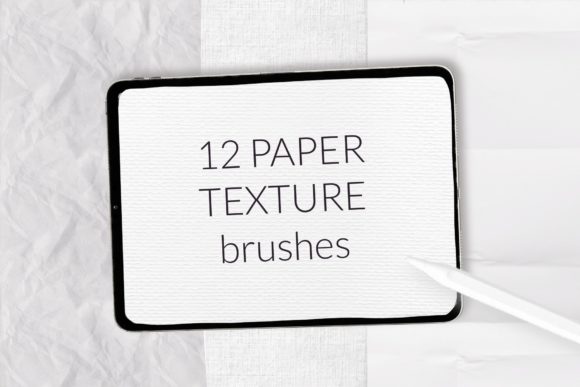
The collection we are discussing today is specifically engineered for Procreate, offering a comprehensive suite of 22 brushes designed to solve this "digital coldness." It isn't just about slapping a filter over your work; it is about building your artwork on a foundation that has character. Whether you are a freelancer designing a brand identity, a hobbyist creating greeting cards, or an educator making engaging worksheets, understanding how to leverage these textures can elevate the perceived value and emotional impact of your projects.
Why Texture Matters in a Digital World
In a sea of polished, vector-based graphics, imperfection stands out. Human eyes are drawn to organic patterns because they mimic the real world. When you use background paper texture brushes for Procreate, you are adding a layer of subconscious authenticity. A marketing social media post that looks like it was sketched on recycled craft paper feels more personal and less "corporate" than a flat digital graphic. A children's book illustration gains warmth when the characters appear to exist on handmade paper rather than a pixel grid.
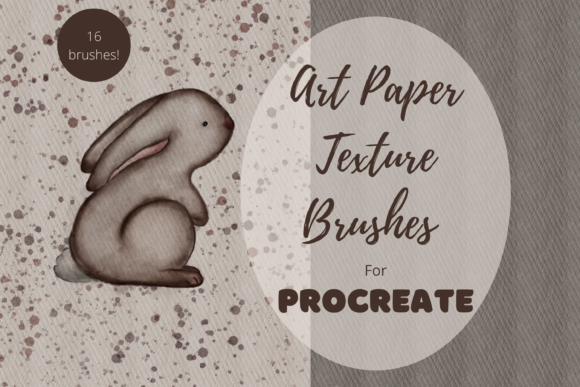
This specific brush set includes 14 distinct paper texture brushes ranging from oil pastel grains and big grain papers to fold lines and grain noise. These aren't just visual overlays; they interact with your stroke. When you draw with them, the texture responds to pressure and movement, mimicking the way pigment catches on rough fibers. This allows for a level of depth that static background images simply cannot achieve.
Real-World Applications Across Industries
The utility of these brushes extends far beyond fine art painting. Let's look at how different users can apply these tools in their daily workflows.
For Small Business Owners and Marketers
If you run a boutique shop, a bakery, or a handmade goods store, your branding needs to reflect the care you put into your products. Using the rustic paper or craft brushes from this set can create promotional materials that feel artisanal. Imagine designing a seasonal sale flyer that looks like it was printed on textured cardstock. This subtle cue tells customers that your brand values quality and tradition, distinguishing you from competitors using generic templates.
Scrapbookers and Memory Keepers
Digital scrapbooking has exploded in popularity, yet many layouts still feel flat. With the seven brushes dedicated to color paper textures included in this set, you can build layered backgrounds that mimic physical scrapbook pages. The torn hole paper stamp brushes are particularly useful here. They allow you to create realistic ripped edges or "peek-a-boo" windows in your design without needing complex masking techniques. You can layer a photo behind a torn paper effect to create depth, making your digital albums feel as tangible as physical ones.
Educators and Content Creators
Teachers and online course creators often need to make worksheets, slides, or handouts that engage students. Standard white backgrounds can be visually fatiguing. By applying a subtle grain noise paper or fold line texture, educational materials become softer on the eyes and feel more like a notebook page, which can psychologically encourage participation. It transforms a dry PDF into something that invites interaction.
Greeting Card and Stationery Designers
Perhaps the most obvious use case is in stationery. The handmade paper and oil pastel brushes are perfect for designing digital greeting cards intended for print or email. The texture adds a premium feel. When a recipient opens a digital card that simulates the look of heavy, textured watercolor paper, the message feels more significant. The inclusion of brushes specifically tuned for color paper ensures that your designs retain vibrancy while maintaining that organic surface feel.
Navigating the Brush Set Features
What makes this particular collection valuable is its variety within a single workflow. You aren't just getting one type of grain. The set covers a spectrum from the subtle grain noise suitable for professional photography overlays to the aggressive big grain needed for bold, expressive abstract art.
- Versatility: The 14 primary texture brushes cover everything from recycle craft aesthetics to clean fold lines, allowing you to match the texture to the mood of the project.
- Color Integration: Unlike many texture brushes that only work in grayscale, the 7 color paper brushes allow you to paint directly with textured hues, speeding up the coloring process.
- Special Effects: The 2 torn hole stamps act as quick modifiers, saving hours of manual erasing and masking when you need a distressed look.
Before downloading or purchasing any digital asset, consider your end goal. Are you creating for screen or print? While these brushes look fantastic on an iPad display, if you intend to print your work, ensure your canvas resolution is set high enough (usually 300 DPI) to capture the fine details of the grain. Also, think about layering. The magic happens when you combine a textured background with semi-transparent layers of paint, allowing the paper grain to show through the colors.
How to Install Procreate Brushes on Your iPad
Getting these tools onto your canvas is straightforward, but the method depends slightly on your device and software version. These Background Paper Texture Brushes come in a `.brush` or `.brushset` format, which is native to Procreate. Here is how to get them working on your iPad, whether you are on the latest update or an older version like Procreate 4.0.
Method 1: Direct Import via Files (Recommended for newer versions)
- Download the folder containing the `.brush` or `.brushset` file to your iPad's Files app.
- Open the Files app and navigate to the downloaded folder.
- Tap on the brush file. If you have Procreate installed, it should automatically open the app and import the brush.
- If it doesn't open automatically, tap and hold the file with your finger or Apple Pencil.
- Select Share from the context menu.
- Scroll through the options. If you don't see "Open in Procreate" immediately, swipe to the right and tap More.
- Find and select Open in Procreate. The brush set will instantly appear in your Brush Library.
Method 2: Importing from Within Procreate
If the direct file tap doesn't work, or if you prefer organizing your libraries manually:
- Open Procreate and create a new canvas or open an existing project.
- Tap the Brush Icon in the top right corner to open the Brush Library.
- Swipe down on the list of brush sets and tap the + sign at the very top to create a new collection, or choose an existing one.
- With your new or selected set highlighted, swipe left on any brush slot and tap Import.
- Navigate to your Downloads or Files folder, locate the brush set you downloaded, and tap it.
- The 22 brushes will populate your library, ready for immediate use.
Once installed, take a moment to experiment. Create a test page and try layering the crumpled paper texture under a wash of color, then use the torn hole stamp to reveal a different layer underneath. The learning curve is minimal, but the creative possibilities are vast. These tools are not just about adding noise; they are about adding soul to your digital creations. Whether you are drafting a logo, illustrating a story, or designing a wedding invitation, the right texture can turn a good design into a memorable one.