Transforming Digital Art with Hand-Drawn Paper Texture Brushes
The digital art world has evolved rapidly, moving from flat, vector-like illustrations to rich, tactile masterpieces that mimic traditional media. At the heart of this transformation lies the subtle yet powerful addition of texture. For artists using iPads, Procreate Art Paper Texture Brushes have become an essential tool in bridging the gap between the sterile perfection of a screen and the organic warmth of physical paper. These instant download, hand-drawn digital brushes are not just add-ons; they are fundamental components for anyone looking to elevate their DIY projects, whether for continued digital crafting or for creating high-quality printed goods.
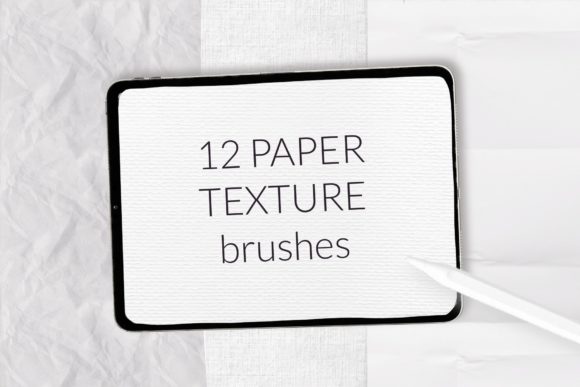
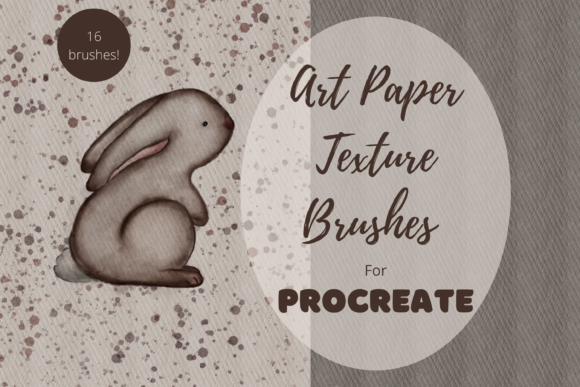
When you create art digitally, the canvas is inherently smooth. While this offers precision, it can sometimes lack the soul found in traditional mediums. This is where a dedicated brush pack containing 16 unique individual hand-drawn digital brushes changes the game. They include specialized tools designed to create art papers that bring your artwork to life, adding grain, tooth, and depth that makes a piece feel tangible even before it is printed.
Why Hand-Drawn Textures Matter in Modern Design
In an era where AI-generated images and perfect gradients are ubiquitous, there is a growing appreciation for the imperfect and the human. Hand-drawn textures offer a level of authenticity that algorithmic noise simply cannot replicate. Each stroke in these Procreate Art Paper Texture Brushes carries the nuance of a real artist's hand, ensuring that no two applications look exactly the same. This variability is crucial for designers working on greetings cards, scrapbooking layouts, invitations, wall art, and wrapping paper.
Consider the difference between a wedding invitation printed on a flat digital background versus one that features a subtle, creamy watercolor paper texture. The latter invokes a sense of luxury and care. By using these brushes, creators can simulate the look of heavy cardstock, rough sketchbook paper, or fine art linen directly within their iPad workflow. This capability is particularly valuable for the print-on-demand industry, where customers expect high-fidelity visuals that suggest quality before they even touch the product.
Versatility Across Creative Projects
The utility of these digital brushes extends far beyond simple illustration. Because they are designed to be versatile, they fit seamlessly into a wide array of creative workflows. Here are several ways artists and designers are leveraging these tools:
- Greetings Cards: Add a vintage or handmade feel to birthday and holiday cards, making them stand out in a crowded market.
- Scrapbooking: Create digital layouts that mimic the layered, textured look of physical scrapbooks without the mess of glue and scissors.
- Invitations: Design elegant event invites with realistic paper grains that enhance typography and floral elements.
- Wall Art: Produce prints that look like original paintings on canvas or textured paper, increasing their perceived value.
- Wrapping Paper: Develop unique, repeating patterns with depth for custom packaging solutions.
- Print on Demand: Ensure your designs look professional on products like tote bags, mugs, and phone cases by pre-texturing the base layer.
The clip art elements and texture layers generated by these brushes can be mixed and matched, offering endless possibilities for customization. Whether you are a hobbyist looking to personalize a gift or a professional designer managing a large catalog of products, the ability to quickly apply realistic textures saves time and enhances the final output.
Mastering the Technique: How to Use Your Texture Brushes
While having the right tools is half the battle, knowing how to use them effectively is what separates amateur work from professional results. The process of applying Procreate Art Paper Texture Brushes is intuitive but requires a bit of experimentation to master the desired opacity and contrast.
To begin, choose a shade that you would like to use for the 'paper'. Creams and greys tend to work well as they provide a neutral base that doesn't overpower your main artwork. Once you have selected your color, create a new layer beneath your main illustration layer. Run your brush across the page without lifting it, then lift and repeat until the desired opacity contrast has been achieved. The goal is to build up the texture gradually rather than applying it all in one heavy stroke.
A common mistake beginners make is applying the texture too heavily, which can muddy the colors of the artwork above. If things look too intense, remember that you can use the opacity slider on the layer tab to dial it back. This non-destructive editing approach allows you to fine-tune the effect until it looks natural.
For the most realistic result, set both your artwork layer and the paper texture layer to Multiply. This blending mode allows the white parts of the texture layer to become transparent while the darker grains interact with the colors below, giving the effect that your art has been created on proper artist's paper. This simple adjustment creates a cohesive look where the ink appears to sit *within* the paper fibers rather than floating on top of them.
Technical Requirements and Compatibility
It is important to note that these files are digital brushes that will only work within the Procreate App. To be able to use them, you will need an Apple Pencil and the Procreate App installed on an iPad Pro or compatible iPad model. This ecosystem-specific requirement ensures that the brushes leverage the full power of Apple's pressure sensitivity and tilt recognition, providing a dynamic drawing experience that responds to your hand movements.
This will not work without this specific hardware and software combination. The integration between the Apple Pencil and Procreate allows for variable line weights and texture density that static image overlays cannot achieve. When you download and install the brush set, it integrates directly into your Procreate library, ready to be used in any project. The installation process is straightforward: typically involving downloading the file and tapping it to automatically open in Procreate, where it installs into a new or existing brush set.
Elevating Your Workflow with Digital Efficiency
Incorporating Procreate Art Paper Texture Brushes into your routine does more than just improve aesthetics; it streamlines your workflow. In traditional media, achieving a specific paper texture might require scanning high-resolution sheets, cleaning them up in Photoshop, and then overlaying them—a time-consuming process. With these digital brushes, the texture is generated on the fly. You can switch from a smooth hot-press watercolor texture to a rough charcoal paper texture in seconds, allowing for rapid prototyping of different styles.
Furthermore, because these are digital assets, they are infinitely reusable. Once you have created a perfect paper background for a series of greeting cards, you can save that layer and reuse it for future projects, maintaining brand consistency across your portfolio. This efficiency is vital for artists who manage multiple client projects or run an online store where consistent visual identity is key to building customer trust.
Choosing the Right Texture for Your Project
With 16 unique individual hand-drawn digital brushes included in the pack, selecting the right one depends on the mood and medium you wish to emulate. Some brushes may offer a fine grain suitable for detailed pen-and-ink work, while others provide a coarse, heavy tooth ideal for bold pastel or charcoal effects.
When deciding which texture to apply, consider the end medium. If you are designing for web use, a subtler texture often works best to avoid distracting from the content on smaller screens. However, for printed goods like wall art or high-end invitations, a more pronounced texture can add a luxurious feel that encourages the viewer to imagine the tactile experience. Experimentation is key; try applying different brushes to the same piece of artwork to see how the mood shifts. You might find that a cool grey texture gives a modern, urban feel, while a warm cream tone evokes nostalgia and warmth.
Ultimately, the goal is to enhance your art, not hide it. These Procreate Art Paper Texture Brushes are designed to be supportive elements that bring depth and character to your creations. By understanding how to layer them, adjust their opacity, and utilize blending modes like Multiply, you can transform flat digital drawings into vibrant, textured pieces that resonate with viewers on a deeper level. Whether you are a seasoned illustrator or just starting your digital journey, mastering these tools opens up a world of creative possibilities, proving that digital art can indeed have a soul.