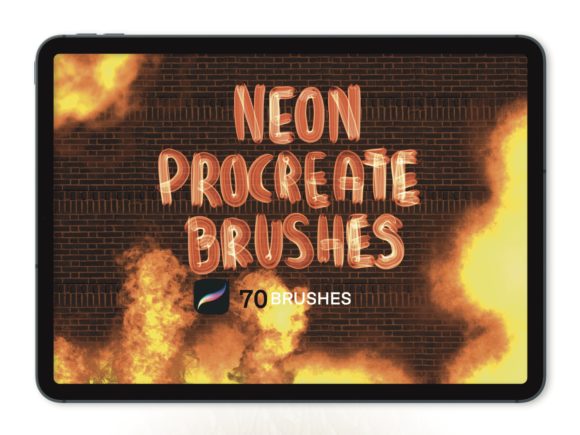
Ignite Your Art with Procreate Neon Fire 70 Brushes
Digital art has revolutionized how we create, offering tools that mimic reality while pushing the boundaries of imagination. Among the most exciting developments in this space is the ability to simulate light, heat, and energy directly on a screen. The Procreate Neon Fire 70 Brushes collection is designed specifically for artists who want to bring that electric glow and dynamic movement to their illustrations without spending hours tweaking settings. Whether you are a seasoned illustrator or just picking up an Apple Pencil for the first time, adding specialized tools like these can dramatically change your workflow and the final impact of your pieces.
This collection from Infinity Art Works is not just a random assortment of textures; it is a curated set of seventy distinct brushes engineered to behave like real fire and neon light. When you open this set, you aren't just getting static stamps. You are getting tools that respond to pressure, tilt, and speed, allowing you to paint flames that flicker and neon tubes that hum with energy. The variety within the set means you can create everything from a small candle flame to a massive, roaring bonfire, or from a subtle LED strip to a blinding cyberpunk sign.
Why Light and Fire Matter in Digital Design
Lighting is often what separates a flat drawing from a compelling piece of art. In traditional media, achieving realistic fire or glowing neon requires complex layering, blending modes, and a deep understanding of color theory. While learning these fundamentals is crucial, having the right tools can accelerate the process significantly. The Procreate Neon Fire 70 Brushes handle much of the heavy lifting regarding texture and luminosity.
For creators working in concept art, game design, or comic books, these brushes solve a specific problem: how to depict energy sources convincingly. A character holding a magical staff needs a glow that feels hot and dangerous. A futuristic cityscape needs signage that looks like it is powered by electricity. Using standard round brushes for these effects often results in work that looks muddy or artificial. This collection provides the necessary grain, scatter, and color dynamics to make digital light feel organic.
Versatility Across Creative Projects
The appeal of this brush set extends far beyond fine art painting. Its utility spans various professional and personal contexts. For graphic designers creating event posters or album covers, these brushes offer a quick way to add high-energy visual elements that grab attention. A music festival flyer featuring neon typography created with these tools instantly communicates a vibe of nightlife and excitement.
Educators and content creators can also find unique applications. Imagine creating animated explainers or storyboards where a lightbulb moment is literally illustrated with a burst of neon fire. Bloggers and social media managers looking to create custom thumbnails or headers can use these brushes to make their branding stand out in a crowded feed. The key is that the effect is versatile; it can be stylized for a cartoon look or rendered realistically for a dramatic scene.
Even for hobbyists who simply enjoy doodling in their spare time, the satisfaction of dragging the Apple Pencil across the screen and seeing a trail of sparks or a wave of flame is incredibly engaging. It encourages experimentation. You might start trying to draw a campfire and end up creating an entire fantasy landscape illuminated by bioluminescent plants, all because the tools made the process intuitive and fun.
Getting Started: Installation and Compatibility
One of the best aspects of digital assets is their immediacy. Once you decide to enhance your toolkit, the process of getting started is straightforward. After purchasing the Procreate Neon Fire 70 Brushes, you will receive an email confirmation containing a download link. This automated delivery ensures you can access your new tools almost instantly, regardless of where you are.
To install them, simply download the files to your iPad. Open the Procreate app, navigate to the Brush Library, and tap on the plus icon or the import option at the top. Select the downloaded file, and the entire set of seventy brushes will appear in your library, ready to use. There is no need for complex unzipping on a computer or transferring files through obscure menus; it is a seamless integration designed for mobile creators.
However, it is important to note the compatibility requirements. These are sophisticated digital instruments that rely on specific hardware capabilities. They are designed exclusively for the Procreate app on iPad. To get the full experience, particularly the pressure sensitivity that makes the flames taper and the neon lines vary in thickness, you need an iPad Pro, a standard iPad paired with an Apple Pencil, or a third-party stylus that supports pressure data. If you are using a finger or a basic capacitive stylus without pressure support, the brushes will still work, but they won't react dynamically to your touch, limiting their expressive potential.
Tips for Maximizing Your Results
While these brushes are powerful, getting the best results involves a bit of technique. Because fire and light are additive, they interact heavily with the layers beneath them. Beginners should experiment with Procreate's blending modes. Setting a layer containing these neon strokes to "Add," "Screen," or "Color Dodge" can make the colors pop against a dark background, simulating real emitted light. Conversely, using them on a white background might require adjusting the opacity to maintain the illusion of glow.
Another consideration is color choice. While the brushes come with default colors, don't be afraid to change them. Fire isn't always orange and yellow; it can be blue, purple, or even green depending on the chemical composition or the artistic style you are aiming for. Neon signs come in every hue imaginable. The Procreate Neon Fire 70 Brushes allow you to swap the color palette easily, giving you infinite variations from a single set of tools.
It is also worth remembering that less is often more. Because these textures are rich and detailed, overusing them can clutter a composition. Use them as focal points to guide the viewer's eye. Let the neon sign be the brightest thing in the room, or let the fire be the primary source of illumination in a night scene. This strategic use creates depth and atmosphere.
Ultimately, investing in a specialized collection like this is about expanding your creative vocabulary. It allows you to say things visually that might otherwise be difficult to articulate. Whether you are building a portfolio, designing a brand identity, or just exploring the capabilities of your iPad, these seventy brushes provide a robust foundation for lighting effects. Thank you for shopping with Infinity Art Works, and we look forward to seeing the brilliant, fiery creations you bring to life with these tools.