Evaluating the Practical Value of Photoshop Stroke Watercolor Brushes for Digital Artists
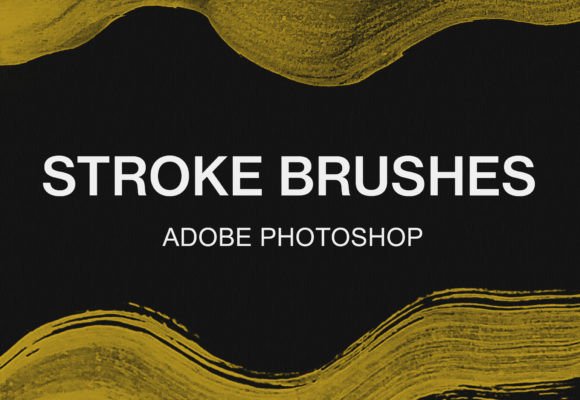
In the evolving landscape of digital illustration, the quest for organic texture often leads artists away from standard, clean vector lines toward tools that mimic traditional media. Among the most sought-after assets are Photoshop stroke watercolor brushes, designed to replicate the fluidity, bleeding edges, and textured grain of real paint on paper. A specific collection gaining attention is the 14 digital Photoshop stroke brushes watercolor pack, a compact yet versatile bundle available for both Adobe Photoshop and GIMP. For professionals and serious hobbyists alike, understanding the utility, installation, and artistic potential of such a toolset is essential before integrating it into a commercial or personal workflow.
The primary appeal of this brush set lies in its ability to bridge the gap between digital precision and analog imperfection. Unlike standard round or hard-edge brushes that can make digital art feel sterile, these stroke-based watercolor tools introduce variability in opacity and edge softness. The pack includes an ABR Photoshop brush file, a format that has become the industry standard for compatibility. While originally native to Adobe's ecosystem, the inclusion of support for GIMP significantly broadens its accessibility, making it a viable option for freelancers and small business owners who rely on open-source software to manage overhead costs without sacrificing creative quality.
Technical Characteristics and Workflow Integration
When evaluating any digital asset, the ease of integration into an existing pipeline is paramount. This 14-brush pack is designed with simplicity in mind, reducing the friction often associated with installing third-party plugins. The collection focuses on stroke dynamics, meaning each brush is engineered to respond to pressure sensitivity (if using a tablet) to create tapering lines that resemble a loaded paintbrush running out of ink or water.
For users operating within the Adobe ecosystem, the installation process is streamlined to minimize downtime. The procedure is straightforward:
- Unzip the file you have downloaded from the source.
- Locate the included ABR file within the extracted folder.
- Double-click on the ABR file; Photoshop will automatically launch if not already open.
- The brushes will appear in your Brush Tool panel, ready for immediate use.
This "drag-and-drop" functionality is particularly valuable for marketers and content creators who need to produce high-quality visuals quickly. There is no need to navigate complex preference menus or restart the application multiple times. Once loaded, the brushes sit alongside default tools, allowing the artist to switch between technical linework and expressive watercolor strokes seamlessly.
Expanding Accessibility with GIMP Compatibility
A notable strength of this bundle is its dual compatibility. Many review articles overlook the substantial user base of GIMP (GNU Image Manipulation Program), yet for educators, students, and budget-conscious entrepreneurs, it remains a critical tool. The fact that these Photoshop stroke watercolor brushes function effectively in GIMP demonstrates a thoughtful approach to file standards.
However, the installation path for GIMP requires a slightly more manual approach due to the software's directory structure. Users should follow these steps to ensure proper recognition:
- Search your local disks for the main GIMP folder, often located within "Program Files" on Windows or the Applications directory on macOS.
- Navigate through the specific path: GIMP 2 > share > gimp > 2.0 > brushes.
- Ensure the downloaded zip file is unzipped to access the ABR file.
- Copy the ABR file and paste it directly into the identified brushes folder.
- Restart GIMP or refresh the brush dialog to see the new watercolor strokes.
While this process involves more steps than the Photoshop method, it is a one-time setup that grants long-term access to professional-grade textures. For publishers and bloggers managing large volumes of imagery, having a consistent brush set across different software environments ensures brand consistency regardless of the tool being used.
Artistic Performance and Real-World Application
The true test of any brush pack is its performance during actual creation. This 14-piece set offers a focused selection rather than an overwhelming library of hundreds of unused variants. In practical testing, these brushes excel in scenarios requiring expressive line work, such as sketching concepts, adding hand-lettered accents to marketing materials, or creating background textures for web design.
The "stroke" nature of these brushes means they are particularly effective for calligraphy-style headings and organic dividers. When applied with a graphics tablet, the pressure sensitivity allows for dynamic line weight variation, mimicking the natural flow of a watercolor brush where the start of the stroke is heavy and the tail fades gently. This characteristic adds a human touch to digital compositions, which is increasingly important in a market saturated with generic stock photography and AI-generated imagery.
From a quality standpoint, the brushes maintain consistency in their texture mapping. They do not suffer from the repetitive tiling patterns that plague lower-quality custom brushes. Instead, they offer a randomized grain that prevents the artwork from looking mechanical. This reliability is crucial for professionals delivering client work, where attention to detail can distinguish a premium product from an amateur effort.
Ideal Use Cases and Audience Fit
Who benefits most from this specific toolset? The versatility of Photoshop stroke watercolor brushes makes them suitable for a wide demographic:
- Freelance Illustrators: Can use them for quick concept art or final renders that require a painterly aesthetic without the time commitment of traditional media.
- Social Media Managers: Can utilize the brushes to create unique story highlights, post backgrounds, or text overlays that stand out in a crowded feed.
- Educators and Course Creators: Can employ these tools to annotate screenshots or create engaging visual aids that feel approachable and hand-drawn.
- Small Business Owners: Can enhance their branding materials, such as logos or packaging mockups, with organic elements that convey craftsmanship.
It is important to note, however, that while these brushes are powerful, they are not a substitute for fundamental artistic skill. They provide the texture and the medium, but the control lies with the user. Beginners may find a slight learning curve in managing the flow and opacity settings to achieve the desired watercolor effect. Patience and experimentation are required to master the balance between digital control and simulated randomness.
Long-Term Value and Limitations
In terms of long-term value, a 14-brush pack might seem modest compared to massive libraries containing thousands of assets. However, curation often outweighs quantity. A smaller, well-designed set encourages mastery of specific tools rather than endless scrolling through options. These brushes are likely to remain relevant in a workflow for years, serving as a go-to solution for adding texture to otherwise flat designs.
Potential limitations include the dependency on hardware. To fully leverage the stroke dynamics and pressure sensitivity, a graphics tablet is highly recommended. Using these brushes with a mouse may result in uniform strokes that lack the organic variation they are designed to produce. Additionally, while the GIMP compatibility is a strong feature, users should verify that their specific version of GIMP supports the ABR format fully, as older versions may require conversion to the native .gbr format for optimal performance.
Ultimately, this bundle represents a practical investment for digital creators seeking to elevate the tactile quality of their work. By offering a seamless installation for Photoshop and a accessible pathway for GIMP users, it removes technical barriers and allows artists to focus on creativity. Whether used for a high-stakes advertising campaign or a personal blog header, these Photoshop stroke watercolor brushes provide the necessary tools to inject life and movement into digital canvases.
For those looking to expand their toolkit further, exploring additional bundles can offer complementary textures and styles. Visit our shop for more brush bundles tailored to diverse artistic needs, ensuring you have the right resources to execute your vision with precision and flair.