Evaluating the Photoshop Rolled Ink Brushes Pack for Digital Art
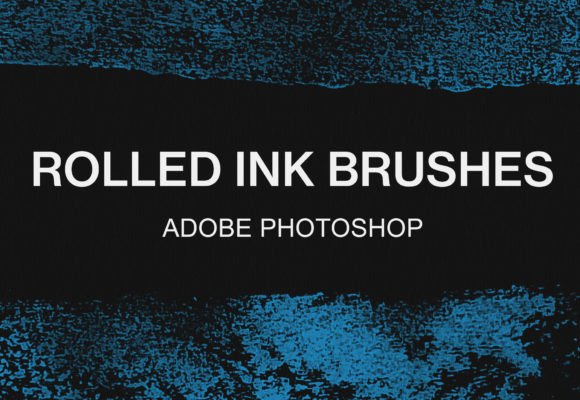
Digital artists and graphic designers often seek tools that bridge the gap between traditional media and digital precision. The Photoshop Rolled Ink Brushes Pack represents a specialized collection designed to replicate the organic, textured appearance of ink applied with a roller or brayer. This bundle typically includes a variety of brush presets, such as the popular 8 photoshop rolled ink brushes watercolor pack, aimed at adding depth and grit to digital compositions. Whether working in Adobe Photoshop or GIMP, understanding the capabilities and limitations of these texture brushes is essential for determining if they align with your specific creative workflow.
Understanding the Toolset
The core of this bundle is the ABR Photoshop brush file, a format native to Adobe software but increasingly supported by other image editing programs. These brushes are engineered to simulate the uneven distribution of ink found in printmaking and manual stamping techniques. Unlike standard soft-round or hard-edge brushes, rolled ink brushes introduce randomness in opacity and texture, mimicking the physical imperfections of a roller moving across paper. This makes them particularly valuable for creating backgrounds, overlays, and grunge effects that feel hand-crafted rather than digitally generated.
It is important to note that while the primary format is ABR, these brushes are suitable for Photoshop and for GIMP, too. This cross-platform compatibility expands the utility of the pack, allowing users who prefer open-source software to access high-quality texture tools without needing expensive subscriptions. The inclusion of watercolor-style variations within the rolled ink category further diversifies the potential applications, offering softer edges and fluid transitions alongside the harsher, industrial look of dry ink rolls.
Key Benefits and Creative Applications
One of the primary reasons an artist might select the Photoshop Rolled Ink Brushes Pack is efficiency. Creating realistic ink textures from scratch using custom shapes and noise filters can be time-consuming. These pre-configured brushes allow for immediate application of complex textures, significantly speeding up the prototyping and rendering phases of a project. For concept artists, this means rapid iteration on mood boards and environment designs.
The versatility of these brushes extends across several disciplines:
- Graphic Design: Ideal for creating vintage posters, album covers, and branding materials that require a tactile, worn aesthetic.
- Digital Painting: Useful for underpainting or adding final textural layers to illustrations to break up flat colors.
- Photo Manipulation: Effective for blending disparate elements together by applying a unified texture overlay that simulates a printed surface.
The 8 photoshop rolled ink brushes watercolor pack subset specifically addresses the need for softer, more fluid dynamics. While standard rolled ink implies a drier, stiffer application, the watercolor variants introduce bleed and saturation variance, making them suitable for more delicate artistic expressions where harsh lines would be detrimental.
Technical Considerations and Tradeoffs
While the benefits are clear, there are tradeoffs to consider when integrating third-party brush packs into a workflow. The most significant factor is the reliance on texture resolution. Brush tips in an ABR file have a fixed maximum resolution. If a user scales a brush stroke significantly larger than its original definition, the texture may appear pixelated or repetitive. Artists working on large-format prints must test the brushes at 100% zoom to ensure the quality meets their output requirements.
Furthermore, the "randomness" built into these brushes can sometimes be a double-edged sword. In projects requiring strict geometric precision or clean vector-like lines, the organic noise of rolled ink brushes may introduce unwanted visual clutter. In such scenarios, standard hard-edge brushes or vector tools remain superior. The Photoshop Rolled Ink Brushes Pack is best viewed as a complementary tool rather than a replacement for foundational brush sets.
Another consideration is software version compatibility. While modern versions of Photoshop handle ABR files seamlessly, older versions may struggle with newer brush engine features like shape dynamics or transfer settings embedded in the file. Similarly, while GIMP supports ABR imports, the interpretation of certain pressure sensitivity or flow settings may vary slightly from the Photoshop experience, requiring minor manual adjustments to achieve identical results.
Installation and Workflow Integration
Integrating these tools into your environment is straightforward, though the process differs between software platforms. Proper installation ensures that the brushes function correctly with pressure-sensitive tablets, which is crucial for achieving natural-looking strokes.
How to use the brushes with Photoshop
For Adobe Photoshop users, the installation process is designed for speed and simplicity:
- Unzip the file you have downloaded to access the contents.
- Just double-click on the ABR file.
- Photoshop will open automatically (or bring the existing window to the front), and the brushes will be loaded into the Brush panel.
- Select the brush tool and begin experimenting with different opacities and flow settings to be creative.
How to use the brushes with GIMP
GIMP users require a manual file placement step, as the software does not always associate ABR files by default upon double-clicking:
- Search under your local disks for the folder named GIMP. This is often located within the "Program Files" directory on Windows or the "Applications" support folder on macOS.
- Follow the specific path: GIMP 2 - share - gimp - 2.0 - brushes. Note that version numbers in the path may vary slightly depending on your installation.
- Unzip the file you have downloaded to extract the ABR file.
- Copy the ABR file and paste it directly into the brushes folder identified in the previous step.
- Restart GIMP or refresh the brushes dialog to see the new tools. Then, be creative.
Making the Decision: Is This Pack Right for You?
Determining whether to acquire the Photoshop Rolled Ink Brushes Pack depends largely on your current artistic direction. If your portfolio leans towards clean, corporate, or ultra-modern minimalist styles, these textured brushes may see limited use. However, if you frequently work on projects involving editorial illustration, book covers, music artwork, or any medium that benefits from a "human touch," this bundle offers substantial value.
Users should also evaluate their software ecosystem. If you exclusively use vector-based tools like Illustrator for texture work, raster brushes may not fit your non-destructive workflow. Conversely, for pixel-based artists in Photoshop or GIMP, having a dedicated set of rolled ink presets can eliminate hours of manual texture creation. The ability to switch between the harshness of dry ink and the fluidity of the watercolor variants within a single download provides a versatile range that justifies the investment for many digital painters.
Ultimately, the decision rests on the need for organic variation. Digital art can sometimes feel too perfect; these brushes reintroduce the chaos and beauty of physical media. For those looking to expand their textural vocabulary without compromising workflow efficiency, exploring this bundle is a logical next step. Visitors interested in expanding their toolkit further are encouraged to visit our shop for more brush bundles, where additional styles and specialized packs await evaluation.