Unleash Raw Energy: Mastering the Photoshop Digital Splatter Brushes Pack
There is a specific kind of frustration that comes with trying to create organic chaos in a digital environment. You spend twenty minutes painting a perfect circle, only to realize it looks too clean, too sterile, and undeniably computer-generated. This is where the Photoshop Digital Splatter Brushes Pack changes the entire workflow. It isn't just a collection of files; it is a bridge between the unpredictable nature of traditional media and the precision of digital tools. Whether you are a graphic designer working on a gritty album cover or an illustrator looking to add texture to a flat vector piece, these brushes offer an immediate injection of life into your canvas.
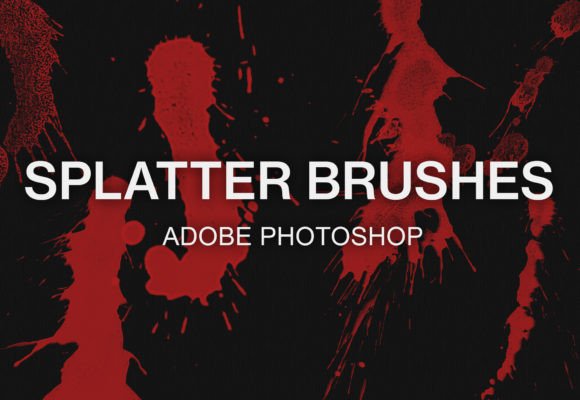
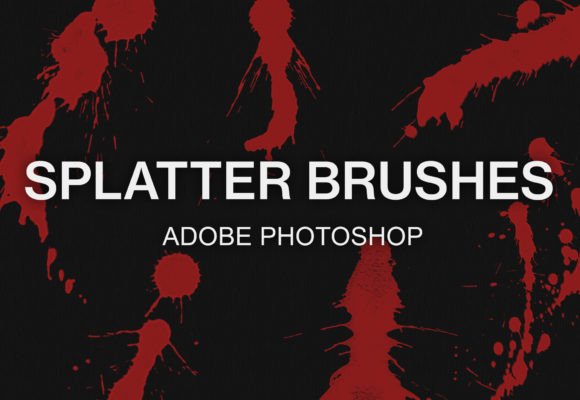
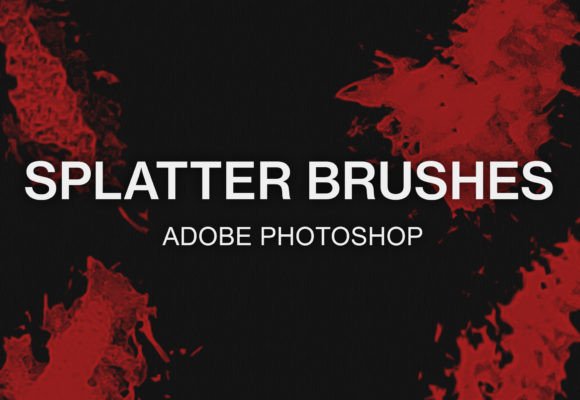
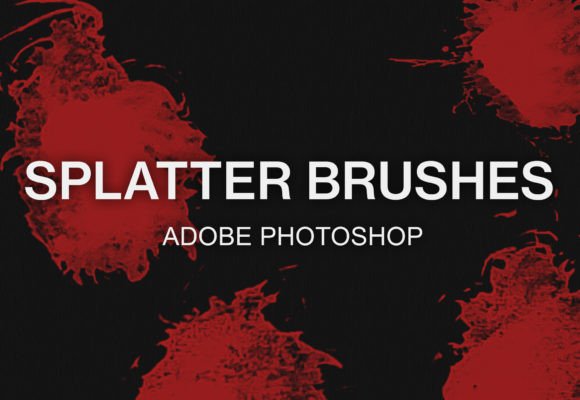
The core appeal of this bundle lies in its versatility. Included in the download is a comprehensive set of 29 digital Photoshop splatter brushes designed specifically for watercolor-style painting and texturing. These aren't just random noise generators; they mimic the physics of fluid dynamics, capturing the way ink pools, sprays, and drips when it hits paper at speed. Because the bundle includes the standard .ABR Photoshop brush file, integration is seamless for Adobe users, yet the creators have thoughtfully ensured compatibility with GIMP as well, making high-quality texturing accessible regardless of your budget or software preference.
Real-World Applications Across Industries
When you start exploring what these brushes can do, you quickly realize they solve problems across vastly different creative sectors. Consider the world of music marketing. Album art and concert posters often rely on a sense of raw energy and rebellion. A clean, corporate font paired with a sharp photograph rarely captures the soul of a rock band or an underground hip-hop artist. By utilizing the Photoshop Digital Splatter Brushes Pack, a designer can overlay dynamic ink blasts behind typography, instantly creating depth and an edgy aesthetic that feels handmade. The splatters act as a visual rhythm, guiding the viewer's eye through the composition without overwhelming the essential information.
In the realm of web design and UI, we often see interfaces that feel too polished. While usability is paramount, brands aiming for a "boutique" or "artisanal" vibe struggle to convey that feeling digitally. These brushes allow web designers to break up solid color blocks with subtle watercolor textures. Imagine a coffee shop's landing page where the background isn't a flat hex code but a faint, textured wash that suggests the warmth of a ceramic mug. The 29 brushes in this pack provide enough variety to ensure that no two sections look identical, preventing the repetitive patterns that often plague stock texture usage.
Photographers also find immense value in this toolset. Retouching isn't always about removing imperfections; sometimes, it's about adding character to a portrait. A fashion editor might want to give a spread a grunge editorial look. Instead of spending hours hunting for high-resolution photos of paint spills online—which often come with licensing headaches or inconsistent lighting—loading this brush set allows for instant experimentation. You can mask the splatters onto specific layers, blend them using modes like "Multiply" or "Overlay," and achieve a cohesive look that matches the lighting of the original photograph perfectly.
Why the Watercolor Aesthetic Matters
The specific inclusion of watercolor-style splatters in this bundle addresses a growing trend in digital art: the desire for softness amidst the hard edges of pixels. Unlike harsh spray paint textures, watercolor splatters have a translucency and a soft edge that interacts beautifully with underlying colors. This makes them ideal for book covers, particularly in the young adult or fantasy genres where magical elements need to feel ethereal yet grounded.
Furthermore, these brushes excel in conceptual art and storyboarding. When pitching an idea to a client, a rough sketch enhanced with dramatic splatter effects can convey mood and atmosphere faster than a fully rendered illustration. It signals movement and emotion. If a character in a storyboard is casting a spell or breaking through a barrier, a well-placed splatter from this pack communicates impact immediately. It saves time during the iterative phase of a project, allowing artists to focus on composition rather than getting bogged down in rendering individual droplets.
Practical Considerations Before You Start
Before diving in, it is important to understand that while these tools are powerful, they require a bit of intentionality. The biggest mistake beginners make is overusing them. Just because you have 29 unique splatter shapes doesn't mean you need to use all of them on one canvas. The strength of the Photoshop Digital Splatter Brushes Pack is in its ability to provide accent details, not to serve as the entire foundation of a piece unless that is the specific stylistic goal.
Another consideration is resolution. Digital brushes can sometimes appear pixelated if scaled up too aggressively. However, this pack is designed with high-resolution stamps to ensure crisp edges even on large format prints. Still, it is best practice to test the brushes on a blank layer at your intended output size before committing them to your main artwork. This ensures that the fine details of the watercolor bleed remain sharp and don't turn into muddy blobs.
Color choice is also critical. While the brushes may default to black, their true potential is unlocked when you sample colors directly from your artwork. A splatter that matches the hue of your subject but varies in saturation creates a harmonious blend, whereas a stark black splatter on a pastel background can look disjointed unless that contrast is intentional. Experimenting with opacity settings is key; lowering the flow can create a misty, atmospheric effect, while 100% opacity delivers the punch of fresh ink.
Getting Started: A Seamless Workflow
One of the most refreshing aspects of this bundle is how little friction there is between downloading and creating. There is no complex installation wizard or obscure folder navigation required for the majority of users. If you are running Adobe Photoshop, the process is incredibly straightforward. Once you unzip the file you have downloaded, you simply double-click on the included .ABR file. Photoshop will automatically launch (if it isn't already open) and the brushes will be loaded and ready to use. You can immediately select the brush tool, scroll to the bottom of your brush preset list, and start painting. It is a workflow designed to keep you in the creative zone.
For the open-source community using GIMP, the process is slightly more manual but equally logical. To get these working, you will need to locate your GIMP installation folder on your local disk, often found within "Program Files." From there, follow the path: GIMP 2 - share - gimp - 2.0 - brushes. After unzipping your downloaded file, simply copy the .ABR file and paste it directly into this brushes folder. Upon restarting GIMP, your new splatter tools will appear in the brush dialog. This cross-platform compatibility ensures that freelancers and students who rely on free software aren't excluded from professional-grade texturing tools.
Expanding Your Creative Toolkit
Ultimately, the value of this pack extends beyond the 29 brushes themselves. It serves as a reminder that digital art doesn't have to feel digital. It encourages a playfulness that can get lost in layers of adjustment masks and vector paths. Whether you are distressing a logo for a vintage brand, adding rain effects to a landscape, or creating abstract backgrounds for social media posts, these splatters provide a quick, effective solution.
The beauty of digital texturing is the ability to undo, refine, and experiment without wasting physical materials. You can try fifty different variations of a splatter composition in the time it would take to clean a single physical brush. This freedom accelerates the learning curve and allows for happy accidents that often lead to the best designs. As you become more comfortable with the weight and flow of these specific brushes, you will find yourself reaching for them instinctively whenever a composition feels too stiff.
If you find yourself enjoying the tactile feel these brushes bring to your work, you will likely want to explore further. There is a vast ecosystem of texture packs available that cater to specific niches, from charcoal smudges to oil paint impasto. We invite you to visit our shop for more brush bundles that can continue to expand your artistic vocabulary. The right texture can transform a good design into a memorable one, and with the Photoshop Digital Splatter Brushes Pack, you have everything you need to start making that transformation today.