31 Doodle Stamp Procreate Brushes for Digital Art
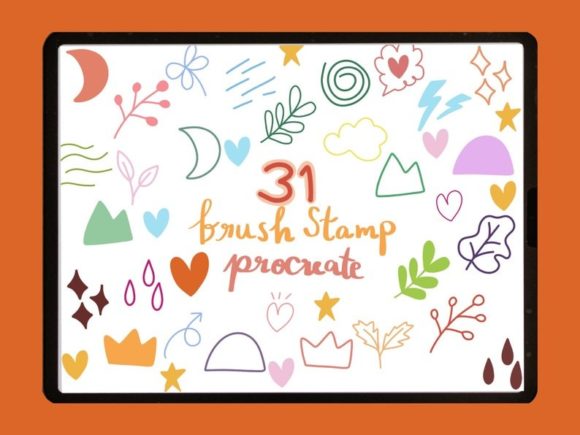
Digital illustration often hinges on the smallest details. A textured line, a whimsical icon, or a quick decorative element can transform a flat sketch into a piece with personality and depth. For iPad artists using Procreate, having the right tools at your fingertips is not just a convenience; it is a workflow necessity. The 31 Doodle Stamp Procreate Brushes collection addresses this need directly, offering a curated set of assets designed to speed up your creative process while maintaining a hand-drawn aesthetic. This isn't just another generic pack; it is a specialized toolkit for those who value efficiency without sacrificing the organic feel of traditional media.
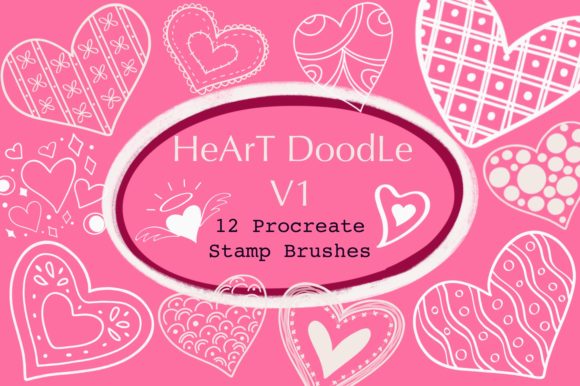
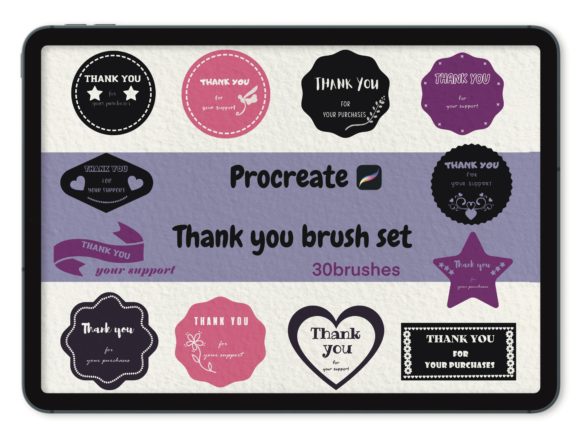
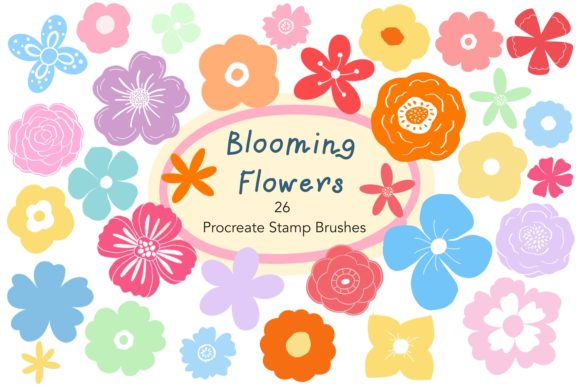
At its core, this product is a single .brushset file containing 31 unique stamp brushes. Unlike standard painting brushes that rely on stroke velocity and pressure to create varying lines, stamp brushes deposit a pre-designed shape or texture with a single tap. This distinction is crucial for understanding their utility. These stamps are engineered specifically for Procreate version 5 or higher, leveraging the app's advanced brush engine to ensure crisp edges, proper scaling, and seamless integration with your existing layers. Whether you are illustrating a children's book, designing social media graphics, or journaling digitally, these stamps serve as immediate building blocks for your compositions.
Why Hand-Drawn Stamps Matter in a Digital Workflow
In an era where vector assets and perfect geometric shapes dominate design software, there is a growing appreciation for imperfection. The 31 Doodle Stamp Procreate Brushes bring a human touch to digital canvases. Each stamp retains the nuances of a hand-drawn sketch, including slight variations in line weight and texture that mimic ink on paper. This characteristic is vital for creators aiming to build a brand identity that feels approachable and authentic rather than sterile and corporate.
For professionals, time is money. Drawing complex recurring elements like stars, clouds, speech bubbles, or floral accents from scratch every time they are needed is inefficient. By utilizing this brush set, you reduce the time spent on repetitive tasks. Instead of spending ten minutes drawing a perfect wreath, you tap once, adjust the size, and move on. This shift allows you to focus your mental energy on composition, color theory, and storytelling—the aspects of art that truly require human intuition.
Versatile Applications Across Industries
The utility of these brushes extends far beyond simple hobbyist sketching. Consider the diverse needs of modern digital creators:
- Social Media Managers: Create eye-catching stories and posts with unique doodles that stand out against stock photography. Use the stamps to highlight text, frame products, or add playful annotations to educational carousels.
- Educators and Course Creators: Enhance digital worksheets and presentation slides. Hand-drawn arrows, checkmarks, and thought bubbles can make learning materials feel more engaging and less intimidating for students.
- Freelance Illustrators: Speed up the background detailing process in client projects. Populate scenes with foliage, debris, or atmospheric elements quickly, allowing for faster turnaround times on commissions.
- Planner and Journal Enthusiasts: Decorate digital planners with thematic icons that match your mood or season. The organic look of these stamps blends perfectly with handwritten fonts and watercolor backgrounds.
- Product Designers: Use the stamps for rapid prototyping of UI elements or to add a "sketchy" wireframe aesthetic to early-stage mockups, communicating ideas without implying finality.
Technical Characteristics and Usability
One of the strongest qualities of this specific collection is its optimization for the Procreate environment. Because these are native .brushset files, installation is instantaneous. There is no need to unzip complex folders or manage multiple file types; you simply tap the file on your iPad, and Procreate imports all 31 stamps into your brush library automatically. This ease of use lowers the barrier to entry, letting you start creating immediately.
Furthermore, these stamps are designed with scalability in mind. A common issue with low-quality stamp brushes is pixelation when resized. However, these assets maintain clarity across a wide range of sizes, ensuring they look sharp whether used as a tiny texture or a large focal point. The set likely includes a variety of categories—perhaps organic shapes, geometric doodles, and functional indicators—providing a balanced mix for different artistic scenarios. The "doodle" style implies a casual, free-flowing vibe, making them particularly effective for projects that aim to connect emotionally with an audience through warmth and relatability.
Enhancing Branding and Visual Communication
Consistency is key in branding. By adopting a specific set of doodle stamps, businesses and creators can establish a recognizable visual language. Imagine a lifestyle blogger who uses the same style of hand-drawn stars and underlines in every YouTube thumbnail and Instagram highlight cover. Over time, these small elements become synonymous with their brand. The 31 Doodle Stamp Procreate Brushes provide a consistent stylistic thread that ties disparate pieces of content together.
Moreover, these tools improve visual communication. In instructional content, a hand-drawn arrow often directs attention more effectively than a sleek, digital pointer because it feels like a personal recommendation. Similarly, using doodle-style frames around testimonials or quotes can make the information feel more curated and special, increasing reader engagement. The psychological impact of hand-drawn elements suggests effort and care, which can foster trust between the creator and the consumer.
Practical Considerations for Implementation
While the benefits are clear, maximizing the value of this toolset requires a strategic approach. First, ensure your device meets the requirement of Procreate version 5 or higher. Older versions may not support the specific rendering engines used in these brushes, leading to unexpected behavior or missing features. It is also worth noting that these brushes are exclusive to the Procreate app; they will not function in Photoshop, Clip Studio Paint, or other raster graphics programs. This exclusivity ensures they are fine-tuned for the iPad experience but limits their cross-platform portability.
When integrating these stamps into your work, avoid overuse. The charm of a doodle lies in its spontaneity. If every inch of your canvas is covered in stamps, the effect can become cluttered and distracting. Use them intentionally to guide the viewer's eye or to accentuate key areas. Experiment with blending modes and opacity settings within Procreate to make the stamps interact naturally with underlying colors and textures. For instance, lowering the opacity of a texture stamp can create a subtle grain effect, while using a "Multiply" blend mode can make ink-style doodles sit realistically on top of colored backgrounds.
Ultimately, the 31 Doodle Stamp Procreate Brushes represent a smart investment for anyone looking to refine their digital art workflow. They bridge the gap between the speed of digital production and the soul of traditional sketching. By incorporating these tools, you are not just adding images to your library; you are adopting a methodology that prioritizes creativity, efficiency, and authentic connection. Whether you are a seasoned professional or a passionate hobbyist, these 31 stamps offer a versatile foundation for your next masterpiece.